The parent experience
Lantern helps parents too.
See how your kids are progressing, and find real ways to get involved.
The parent consent portal is live today. The Companion app shown here is in private beta, and Lantern ships broadly in 2027.
Verifiable parental consent
Type your full name to sign.
You’re signing on behalf of your child, under COPPA.
Consent recordedConsent-first onboarding
Parents are always in control.
Every account starts with a real, typed-signature parental-consent step — no dark patterns, no pre-checked boxes. The full COPPA Direct Notice is available before the signature.
The portal is where a parent creates the account and child profile, reads the notice, and records consent before a child reads with Lantern. The Children’s Privacy Policy remains available from the legal library.
Today
Start with what happened.
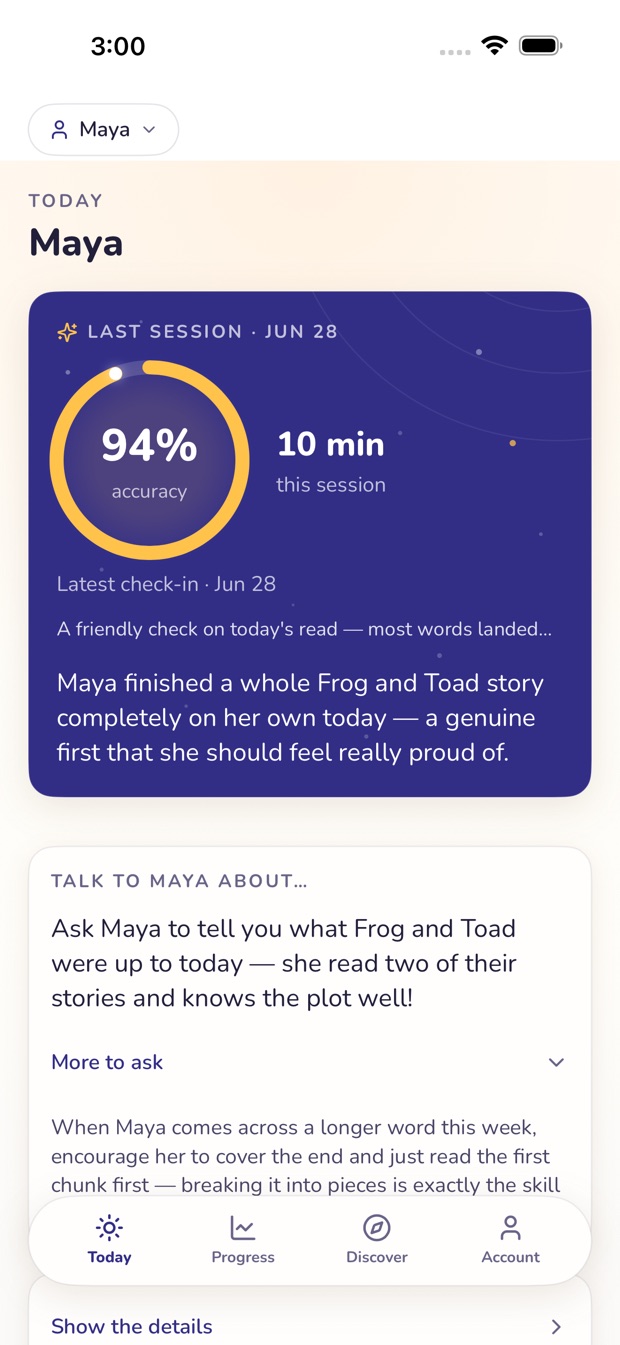
Today is a warm, plain-English look at your child’s most recent reading session. A plain-English summary, not a dashboard.
When an account has no device activity, Lantern shows a clearly labeled sample week. The sample is presented as sample content, so a parent can explore the shape of the app without mistaking it for a family record.
Progress
Friendly words first.
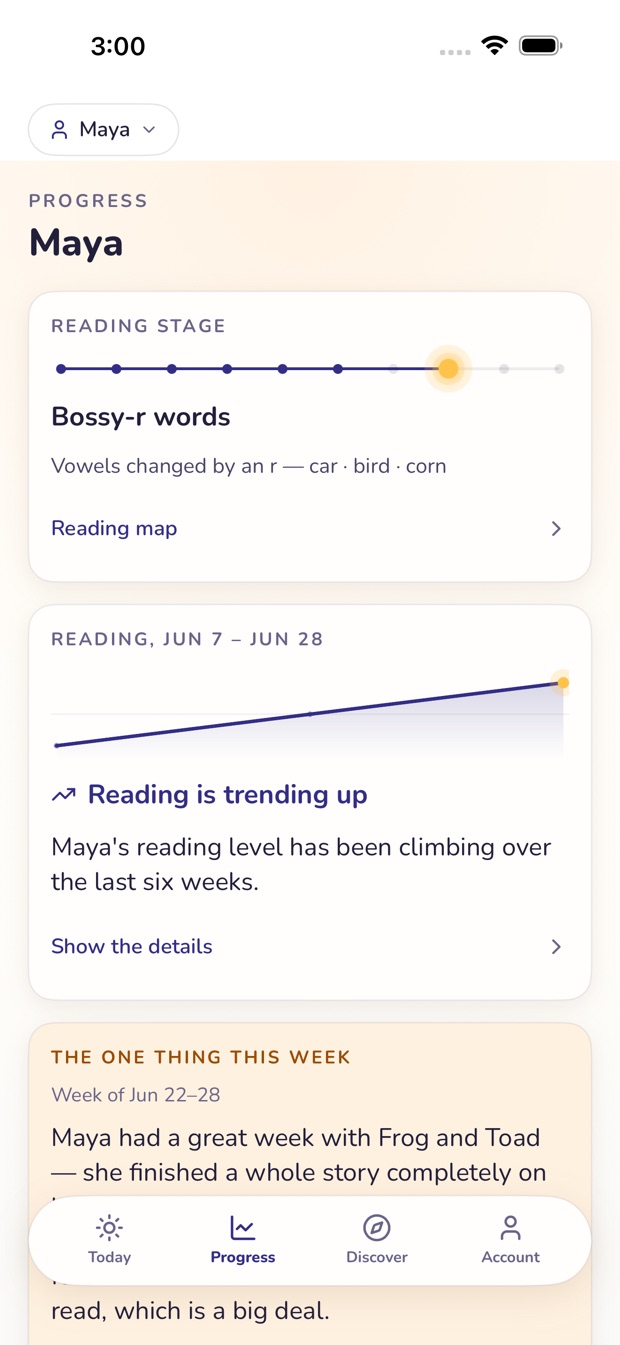
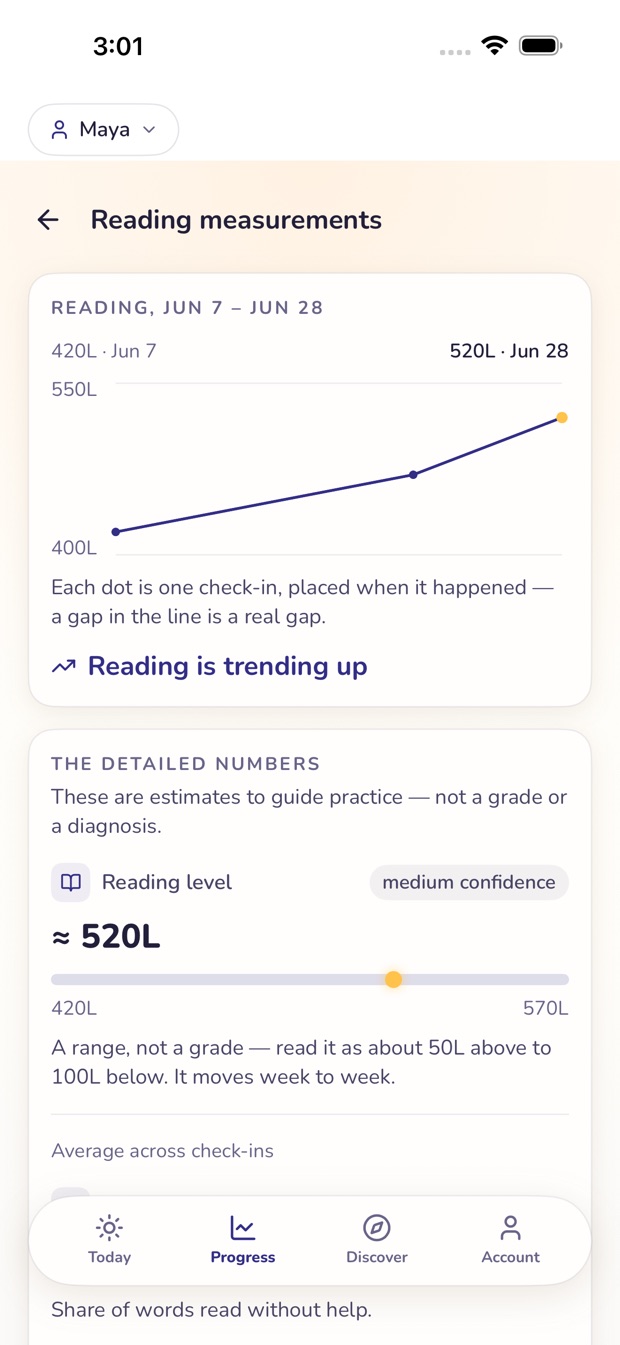
Progress shows how reading is trending over time, with the numbers there if you want them. Tap to see the detail — we don’t lead with scores.
A quick glance tells you how reading is going; the detail — reading minutes, accuracy, and level — is one tap away when you want it.
Discover
Great books deserve a great tutor.
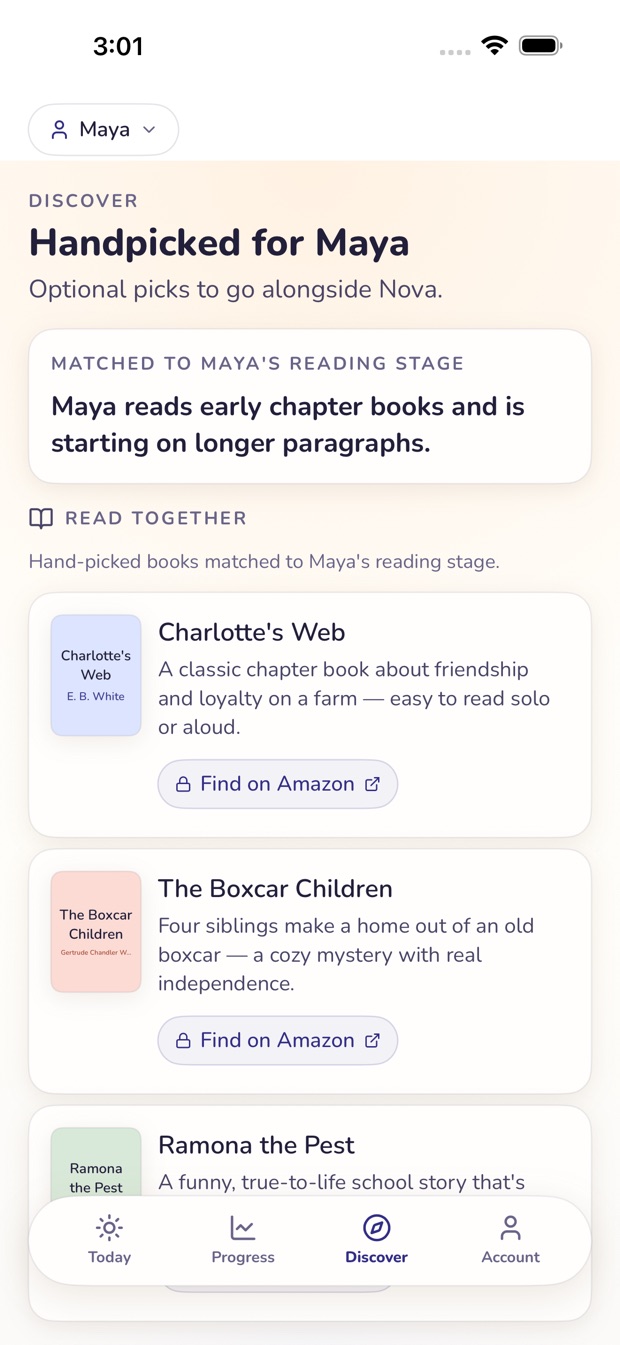
Discover offers book and activity ideas matched to where your child is in learning to read. The aim is a practical next book, not another feed for a child to scroll.
You’ll get a short, specific list — a book to try next, an activity to do together — chosen for where your child is right now.
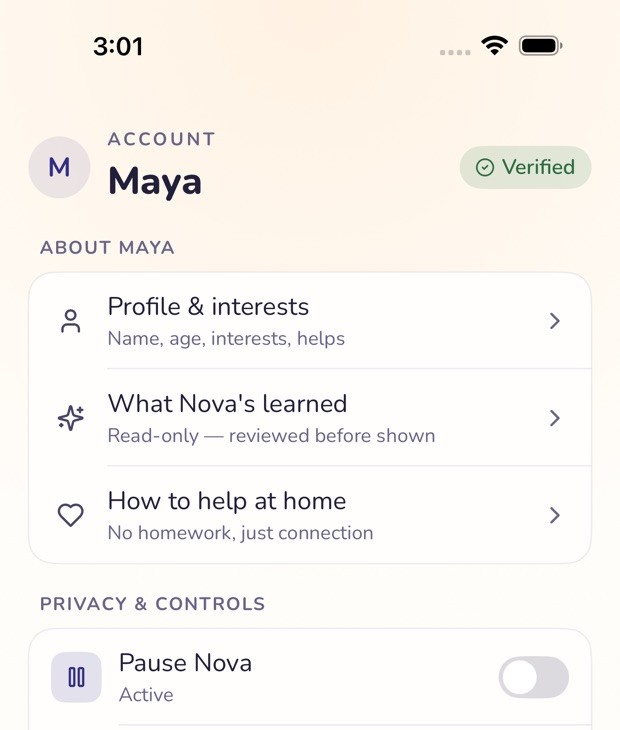
Account
The controls stay close.
Account is where you manage consent, add another child, pause Lantern any time, and see or export your family’s data, and request deletion, whenever you want.
Parent sign-in takes you directly to the live portal. The Privacy Policy remains the source for full details.